Generate a dedicated referral link to send to a partner or referrer so they can submit data for prospective clients on your behalf.
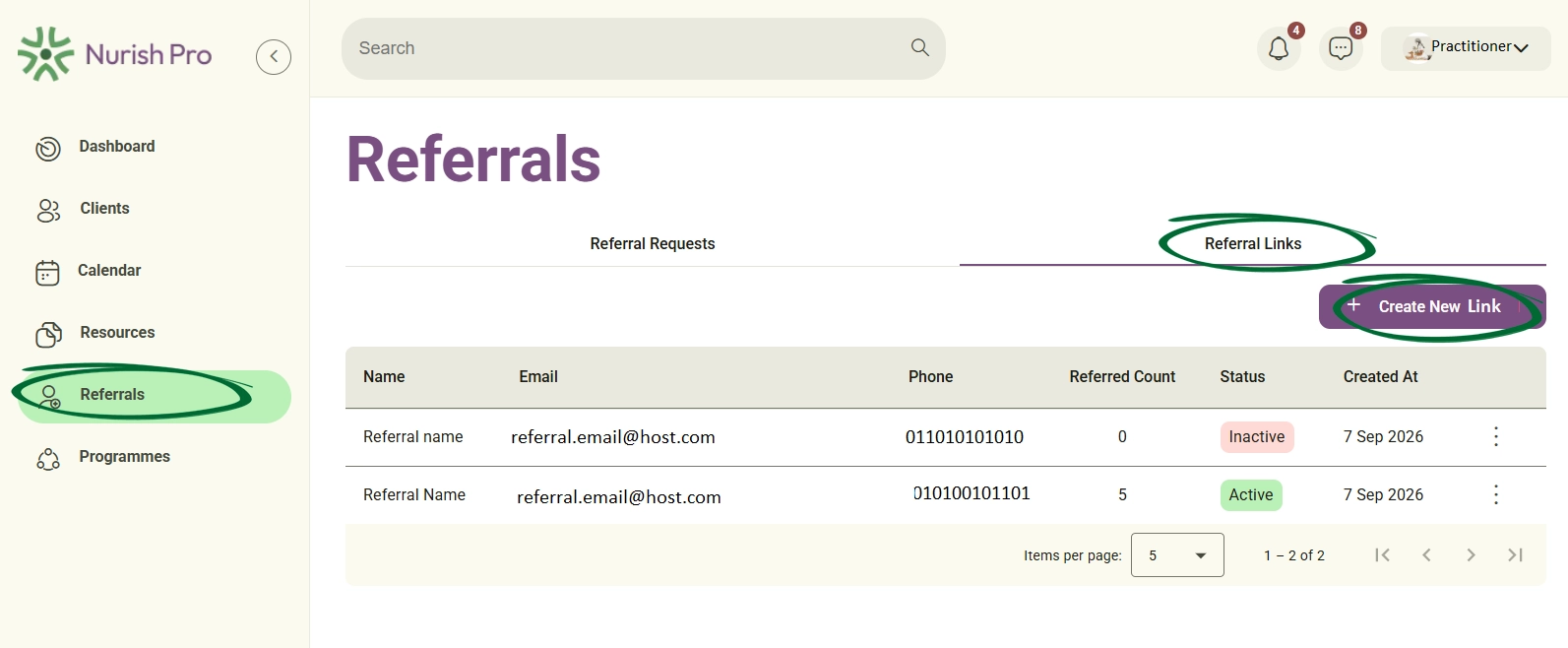
Navigate to the Referrals section from the main navigation menu, click the Referral Links tab, and select the + Create New Link button in the top-right corner.
In the modal window, enter the Referrer Name, Referrer Email, Phone, and an optional Description regarding the arrangement.
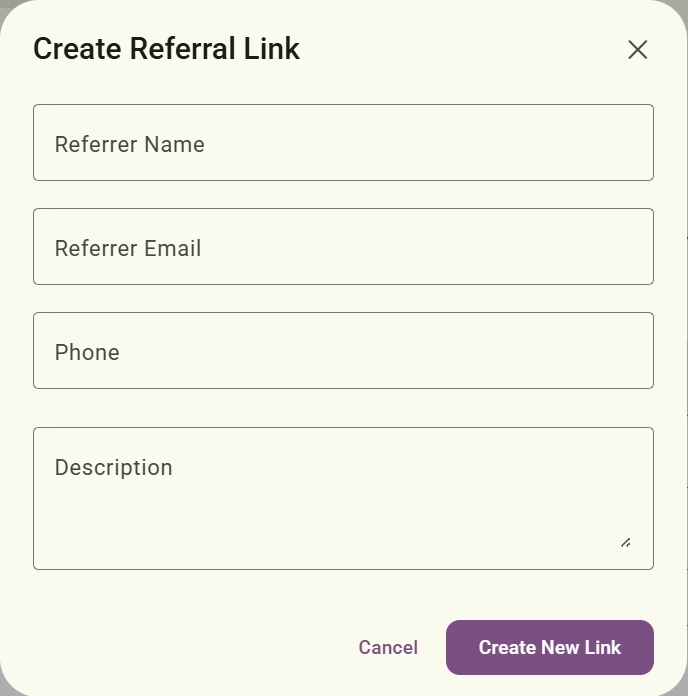
Click the Create button. An automated email containing a custom Refer a Client form link will be dispatched directly to the specified referrer's email address.
Monitor all generated referral links, track the total number of clients referred through each link, and check their operational status.
Go to the Referrals module and select the Referral Links tab.
Use the Items per page dropdown menu and pagination controls at the bottom-right corner to browse through your full list of referral links.
Manage existing referral links by viewing details, updating referrer information, copying invitation links, or modifying link status.
Locate the desired referral link in the Referral Links table and click the three-dot options icon on the far right of the row.
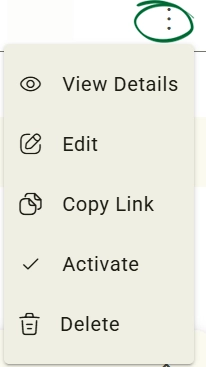
Choose from the available menu options:
- View Details:Inspect full link records and the count of associated client submissions.
- Edit:Update referrer contact information or descriptions.
- Copy Link:Copy the direct form URL to your clipboard for manual sharing.
- Activate / Deactivate: Toggle the operational status of the link.
- Delete:Permanently remove the referral link record.
Can a referrer submit multiple clients using the same referral link?
What happens when I set a referral link status to Inactive?
What happens when I delete a referral link?
Will the status change to Scheduled automatically if I create an appointment?
Issue: The referrer did not receive the automated email invitation
Issue: The referral form link displays an error or is inactive.
Next Step
Now that you've got the hang of how Referrals Management works, it’s time to put what you've learnt into action! Head straight over to your Nurish Pro platform to start creating referral links, tracking incoming client leads, and expanding your practice.
Go to Referrals